1.2 KiB
1.2 KiB
🌟LILYGO T-0.99TFT🌟
English | 中文
快速开始:
- 安装 Arduino IDE Arduino website.
- 打开Arduino,打开“文件” ->“首选项”,附加开发板管理器的url添加: https://raw.githubusercontent.com/espressif/arduino-esp32/gh-pages/package_esp32_index.json
- 选择“工具” -> 开发板选择 ->
- 复制'lib'下的文件到'~Arduino/libraries'
- 在TFT_GC9D01N.h 中定义引脚和选择显示方向 #define LANDSCAPE 1 //Horizontal screen //#define PORTRAIT 2
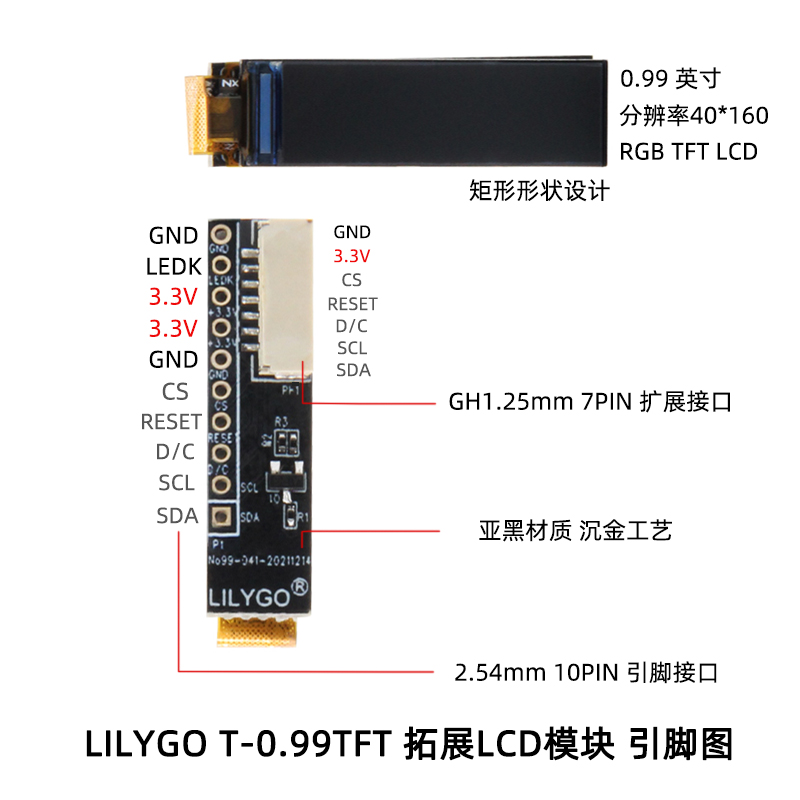
#define TFT_MISO -1 #define TFT_MOSI 10 #define TFT_SCLK 20 #define TFT_CS -1 #define TFT_DC 2 #define TFT_RST -1 #define TFT_BL 8
Product 📷:
| Product | Product Link |
|---|---|
| T-0.99TFT | 淘宝 |
Pinout