d262abcff8
* add my mod * Update README.md * Update README.md * Update README.md * Update README.md * update folder * Update readme.md * update names again * initial add * Update readme.md * Update readme.md * Update readme.md * Update readme.md * Update readme.md * Update readme.md * change camera angle changed camera angle to 25 degrees instead of 20. Points it slightly closer to the front of the printer, showing less of the rear of the printer. * Update readme.md * Update readme.md * Update view.png * update view image * Update readme.md * Learned how to do multiple mods at once, deleting this mod and adding to new branch. * Update README.md * Update README.md * Update README.md * Update README.md * change naming * Update readme.md * Update readme.md * Update README.md * Update README.md |
||
|---|---|---|
| .. | ||
| img | ||
| Microswitch_Pod_Connector.stl | ||
| Microswitch_Pod_Connector.stp | ||
| readme.md | ||
readme.md
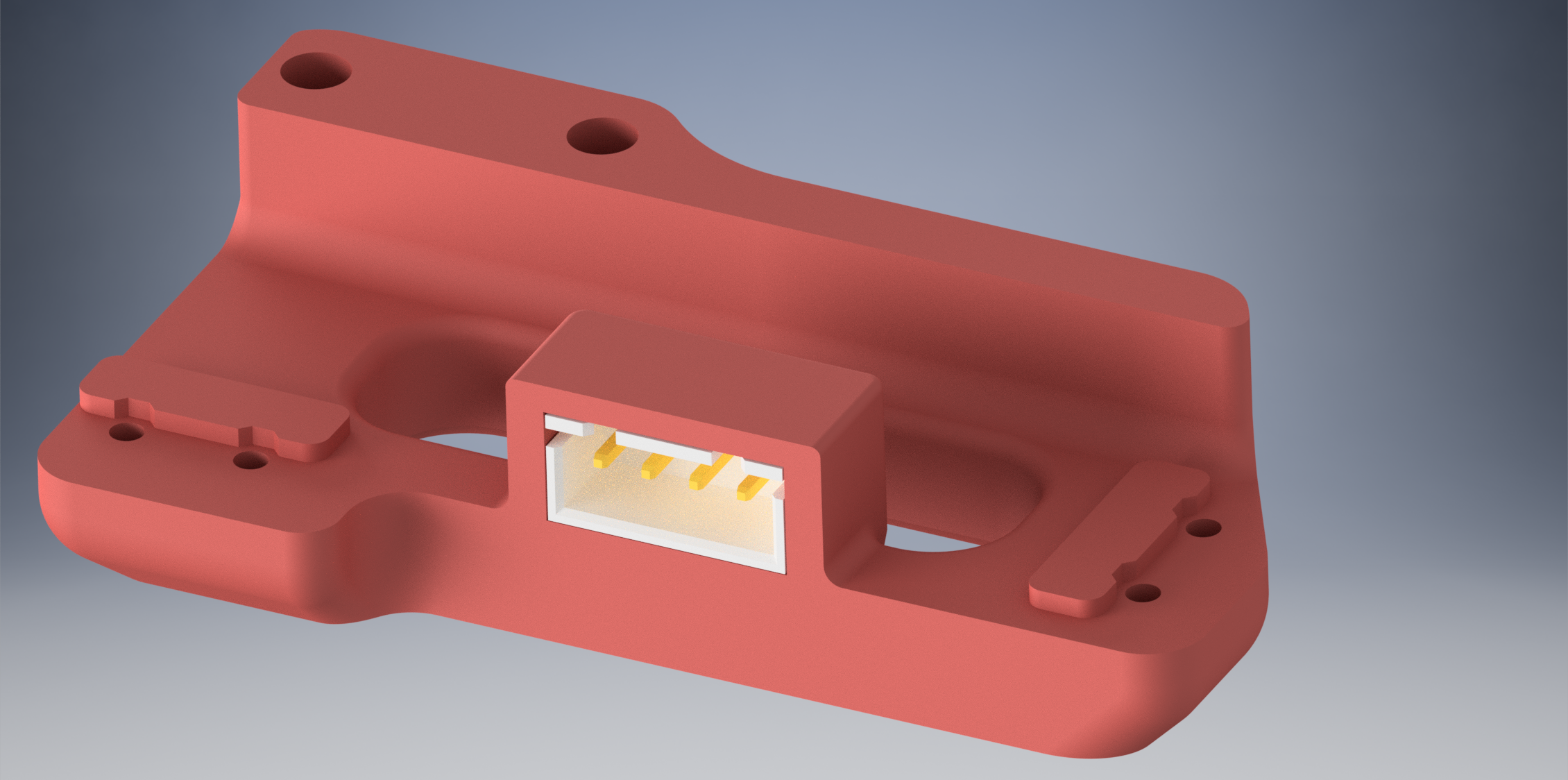
This is a simple modification to the microswitch pod to allow the installation of a JST-XH 4-pin connector.
JST-XH 4-pin connector part number B4B-XH-A(LF)(SN) slides into the hole and there's a small lip to keep it sliding all the way thru.
Depending on your tolerances it may be tight enough as is, or you may have to use a bit of CA glue. You may need to clean up the inside of the slot a bit using a utility knife to get the JST in, as it does involve bridging.
I also slightly increased the size of the screw holes from 1.5mm to 1.7mm as I was having a hard time getting mine screwed down.