 2f8760c06e
* Add files via upload * Delete printer_mods/ZZP8202/Pull-out_electrical_store directory * Pull-out_electrical_store * Update README.md * Update README.md * Update README.md * Update README.md * Update README.md * Update README.md * Update README.md * Update README.md * Update README.md * Update README.md * Update README.md * Update README.md * Update README.md * Update README.md * Update README.md * Update README.md * Update README.md * Update README.md * Update README.md * update * Delete Guide_rail_C-SR36Y18.stp * Update README.md * Update README.md * Update README.md * Update README.md * Update README.md * update 3d * Create README_CN.md * Update README.md * Update README.md * Update README_CN.md * Update README_CN.md * Update README_CN.md * Update README_CN.md * Update README_CN.md * Update README_CN.md * Update README_CN.md * Update README.md * Update README_CN.md * Update README_CN.md * update 3D * update drawing * upload photo * upload photo * Update README.md * Update README_CN.md * Update README_CN.md * Update README.md * Update README.md * Update README_CN.md * Update README_CN.md * Update README.md * change name * Create fan_balnk_X2.STL * Delete fan_balnk_X2.STL * Create Fan_decorative_panel_X2.STL * Update README.md * Update README_CN.md * Update README_CN.md * Update README.md * Update README.md * Update README_CN.md * Delete Voron_V2.4_Pull-out_electrical_store.SLDASM * Create Voron_V2.4_Pull-out_electrical_store.STEP * Update README_CN.md * Update README_CN.md * Update README_CN.md * Update README.md * Create STEEL_CORNER_LBSB6-2020_X8.pdf * Delete STEEL CORNER_LBSB6-2020_X8.pdf |
||
|---|---|---|
| .. | ||
| 3D | ||
| Drawing | ||
| Photos | ||
| STL | ||
| README.md | ||
| README_CN.md | ||
README.md
Voron 2.4 Pull-out electrical Store 中文说明
Important Notice
Only aimed at Voron V2.4 350mm printer now.
This MOD is based on V2.4R1 and may not be perfectly compatible with V2.4R2
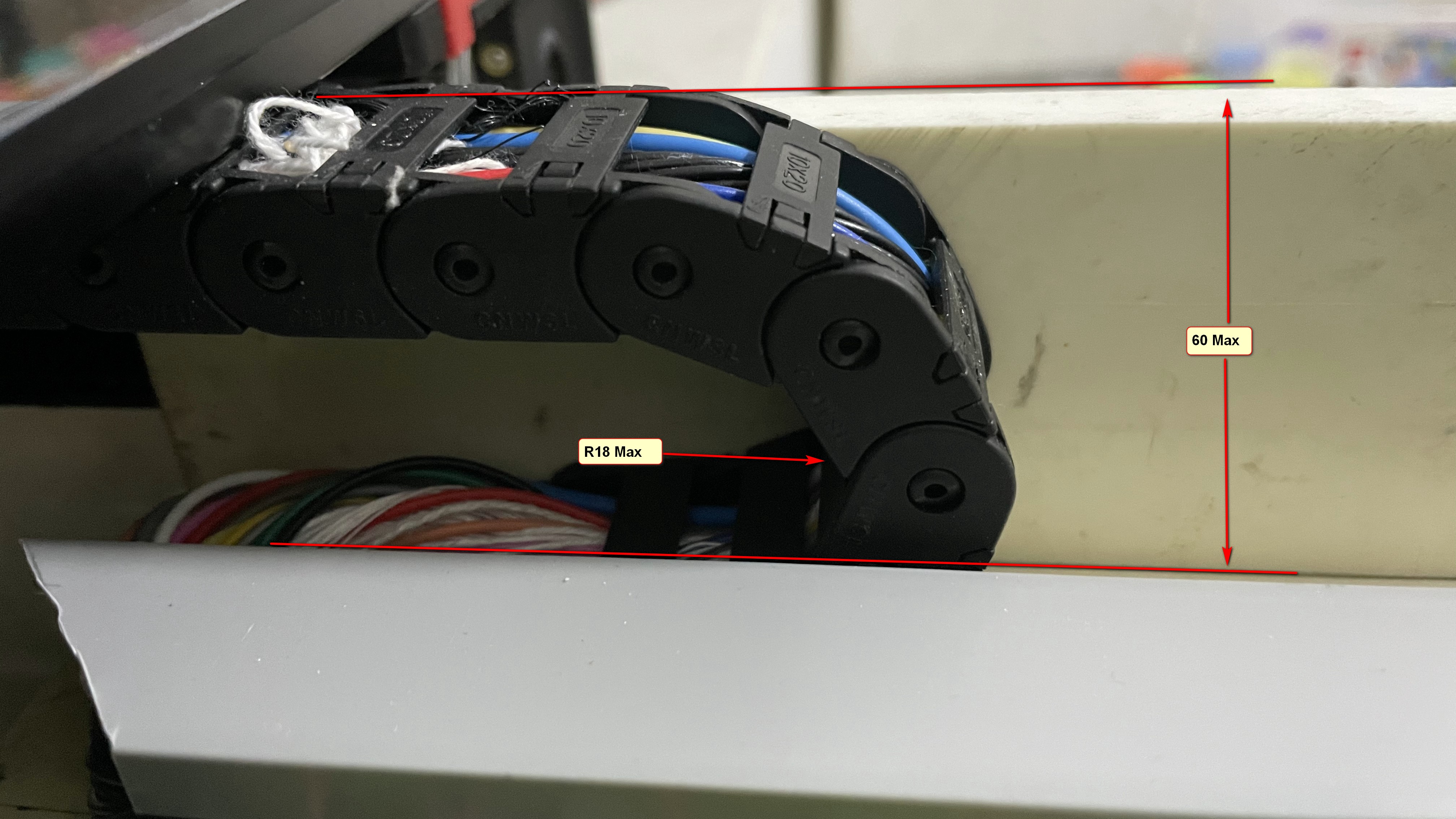
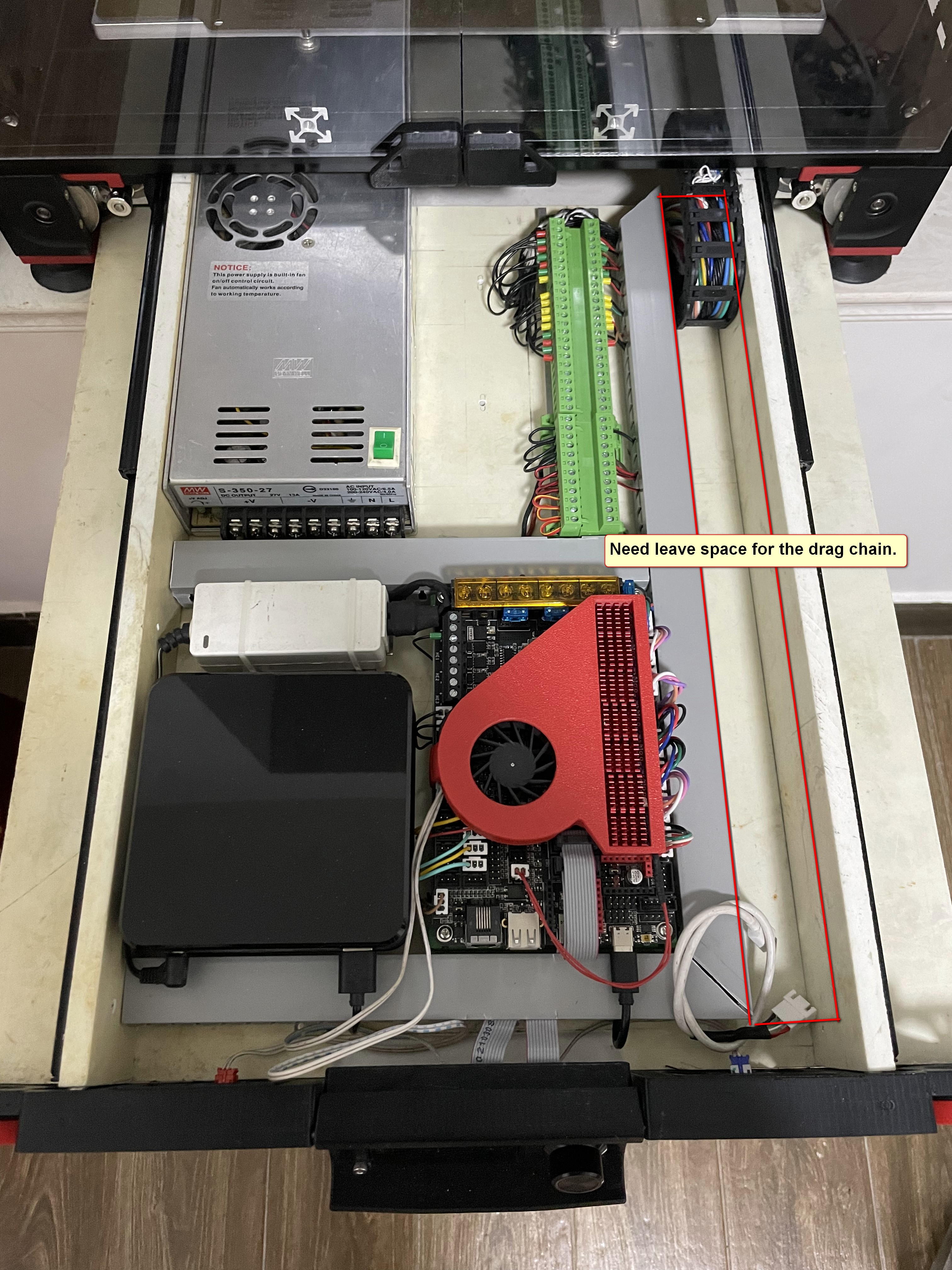
- Due to the need to ensure a smooth drawer out, after using this MOD will reduce the space of the electrical store, please check the below table find the available space.
Printer spec Inner space Available space 350mm 470 * 285 * 77 470 * 257 * 60 300mm 420 * 235 * 77 420 * 207 * 60 250mm 370 * 185 * 77 370 * 157 * 60
- You will need about 30 metres of additional wire to connect the drawers.
Please use it according to the actual situation.
Objectives
The objectives for this project are:
- Easily to open the electrical bin for debugging
Overall
Picture

Video
https://www.youtube.com/embed/usf8aM6o3Y0
https://www.youtube.com/embed/9XUpTigEtQ4
3D Model
https://evercraft.co/share?key=E561A9
Bill of Materials (BOM)
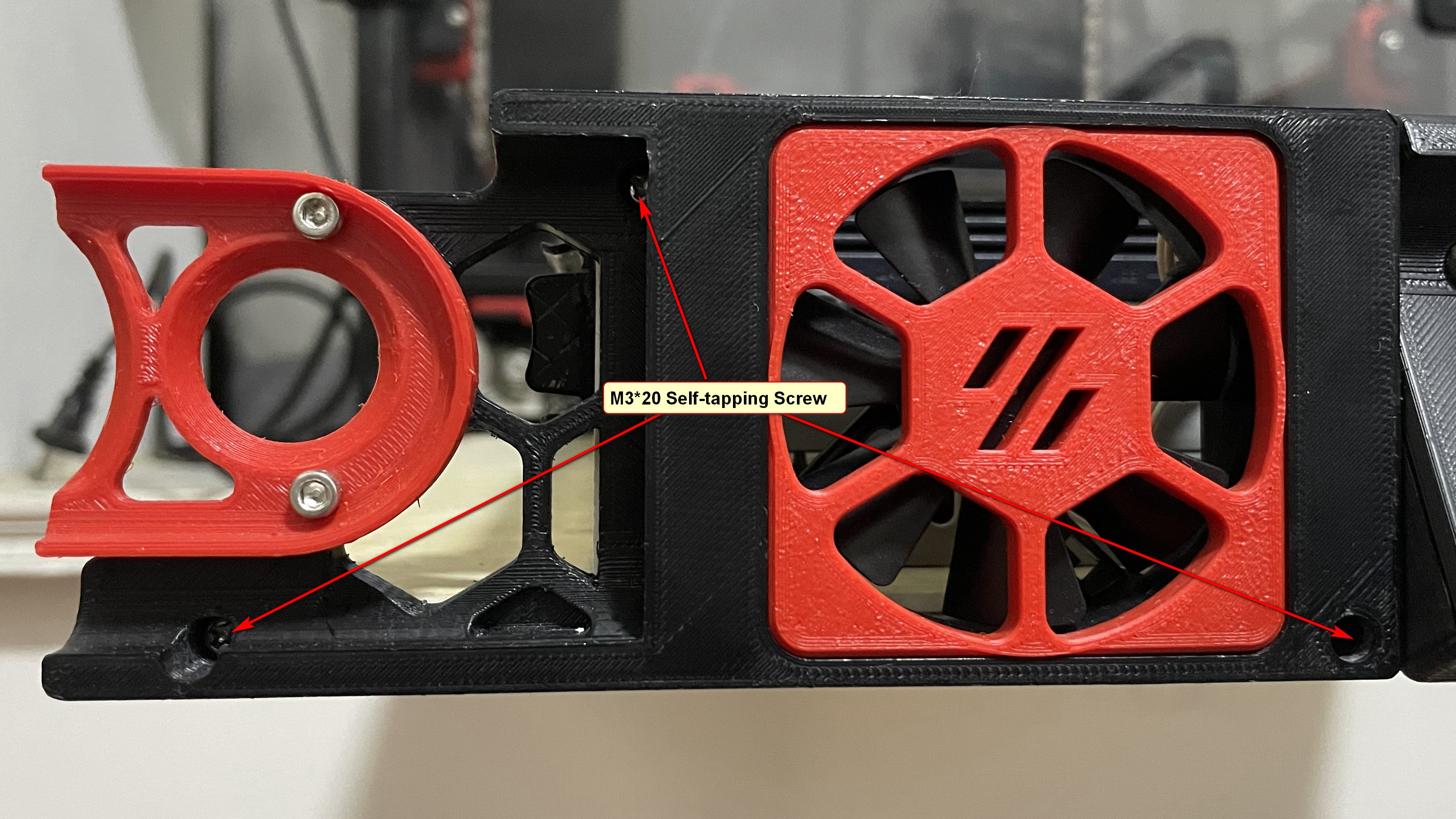
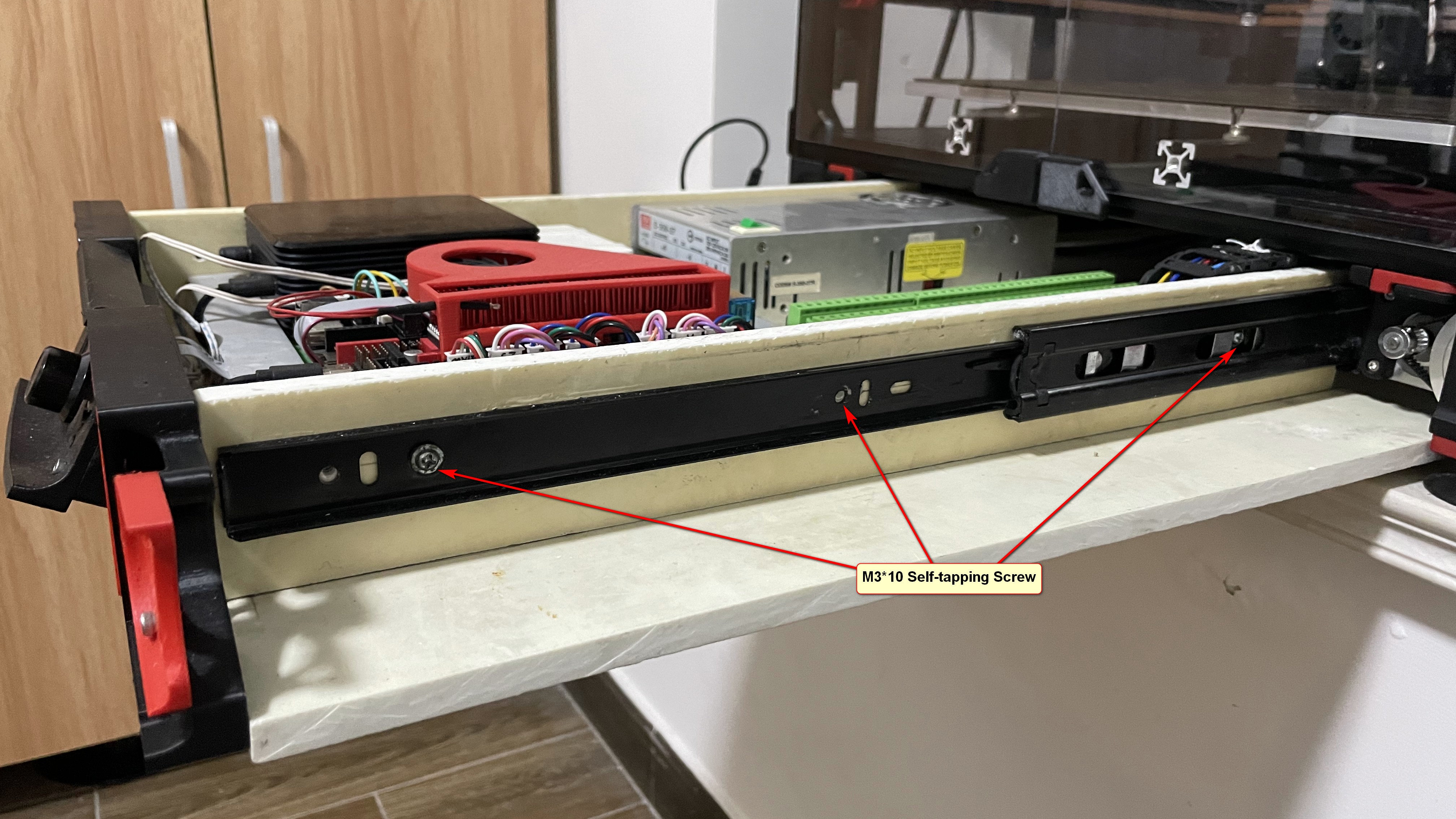
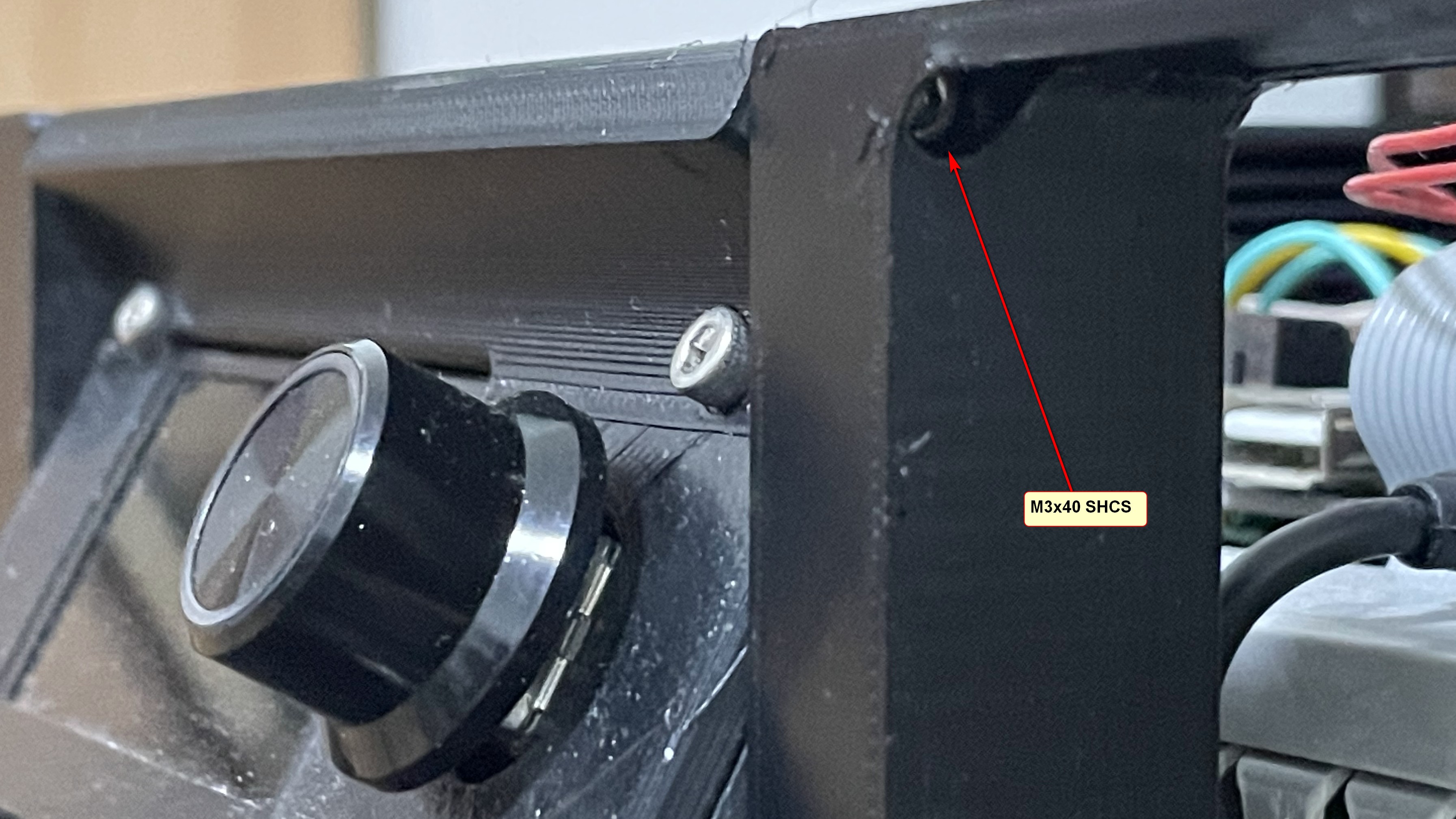
Category Part Name QTY Remark Printed Parts Mini12864_Case X1 Printed Parts Front panel L X1 Printed Parts Front panel R X1 Printed Parts Fan_decorative_panel X2 Printed Parts Side panel L X1 Option Incompatible with v2.4r2 Printed Parts Side panel R X1 Option Incompatible with v2.4r2 Panels Bottom_plate X1 AS the Drawing* Panels Drawer_sides X2 AS the Drawing* Panels Drawer_Support X2 AS the Drawing* Panels Reinforcing_rib X4 AS the Drawing* Motion 450mm Guide_rail X1Pair Cables Cable Chain X1 10*20(Inner H x Inner W) (R18max) Cables 24AWG Silicone Cable X26M Additional Cables 20AWG Silicone Cable X4M Additional Hardware STEEL CORNER X8 Fasteners M3x40 SHCS X2 Fasteners M3 Threaded Insert X4 M3X5X4 Fasteners M3*20 Self-tapping Screw X22 Fasteners M3*10 Self-tapping Screw X16 Fasteners M5*10 Self-tapping Screw X8 Fasteners M5*6 BHCS X8 Fasteners M5 1mm Spacer X8 Fasteners M5 T-nut X8 HNTAJ5-5 Electronics 60x60x15 Fan X2
*You can use any type of sheet, epoxy sheet is recommended.
Briefly instructions
Donate
You want to donate something regarding this project? No, you can't. :)