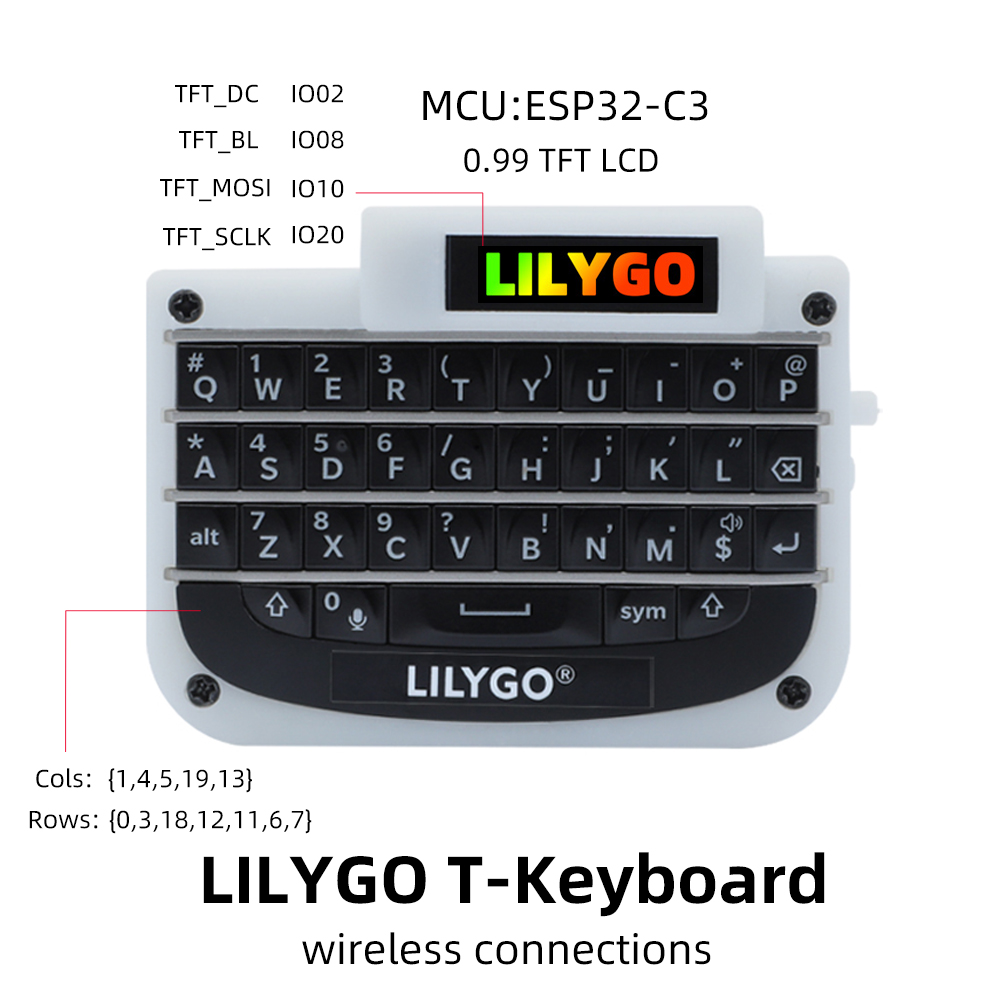
🌟LILYGO T-keyboard🌟
## **English | [中文](./README_CN.MD)**
Default some custom functions:
| keyboard input | Trigger |
| :------------: | :--------------------------------------------------------------------------: |
| Left shit | Shift |
| Right shit | Toggle case locking |
| sym | Enter numbers and characters (only triggered once, not locked) |
| alt+left shit | ctrl+shift(Switch the input method) |
| alt+b | Change keyboard backlight status |
| ... | More custom features can be modified source code implementation, or feedback |
Quick start:
**USE Arduino IDE**
1. Install the current upstream Arduino IDE at the 1.8 level or later. The current version is at the [Arduino website](http://www.arduino.cc/en/main/software).
2. Start Arduino and open Preferences window. In additional board manager add url: https://raw.githubusercontent.com/espressif/arduino-esp32/gh-pages/package_esp32_index.json .separating them with commas.
3. Select Tools -> Board -> ESP32C3 Dev Module
4. If you do not have a driver installed, you need to install it (Window:ch341ser2.exe, MAC:ch34x_mac_driver_v1.6.zip [New driver reference](https://github.com/LilyGO/LILYGO-T-OI/issues/3#issuecomment-907645945 ))
5. Need to install the following dependencies
- [ESP32-BLE-Keyboard](https://github.com/T-vK/ESP32-BLE-Keyboard/tree/0.3.0)
- [T-0.99TFT](https://github.com/Xinyuan-LilyGO/T-0.99TFT)
**USE PlatformIO**
1. Install[VSCODE](https://code.visualstudio.com/)and[Python](https://www.python.org/)
2. Search for the PlatformIO plug-in in the VSCODE extension and install it.
3. After the installation is complete and the reload is completed, there will be a small house icon in the lower left corner. Click to display the Platformio IDE home page
4. Go to file - > Open folder - > Select the LilyGO-T-Keybord folder and click the (√) symbol in the lower left corner to compile (→) for upload.
Product 📷:
| Product | Product Link |
| :--------: | :----------------------------------------------------------------: |
| T-keyboard | [AliExpress](https://pt.aliexpress.com/item/1005004182998265.html) |
## Matters need attention
1. Do not set the screen backlight to too high, which may cause overexposure
## Pinout